The Best 4K Webcams for Streaming and Home Office in 2026
Upgrade your video calls and streams. We review the top 4K webcams of 2026 from Razer, Insta360, Logitech, and Obsbot to help you look your absolute best.
Quick Buy Links
The Best 4K Webcams for Streaming and Home Office in 2026
The era of grainy, poorly lit video calls is well behind us. Whether you are a full-time streamer, a remote worker seeking to command presence in virtual meetings, or a content creator aiming for professional-grade production, investing in a high-quality 4K webcam is one of the highest-ROI upgrades you can make to your setup.
While built-in laptop cameras have marginally improved, they still can't compete with the massive sensors, superior glass, and AI-powered processing found in standalone webcams. In 2026, the market is dominated by smart cameras that don't just record video—they dynamically track your movement, correct poor lighting in real-time, and provide true depth-of-field.
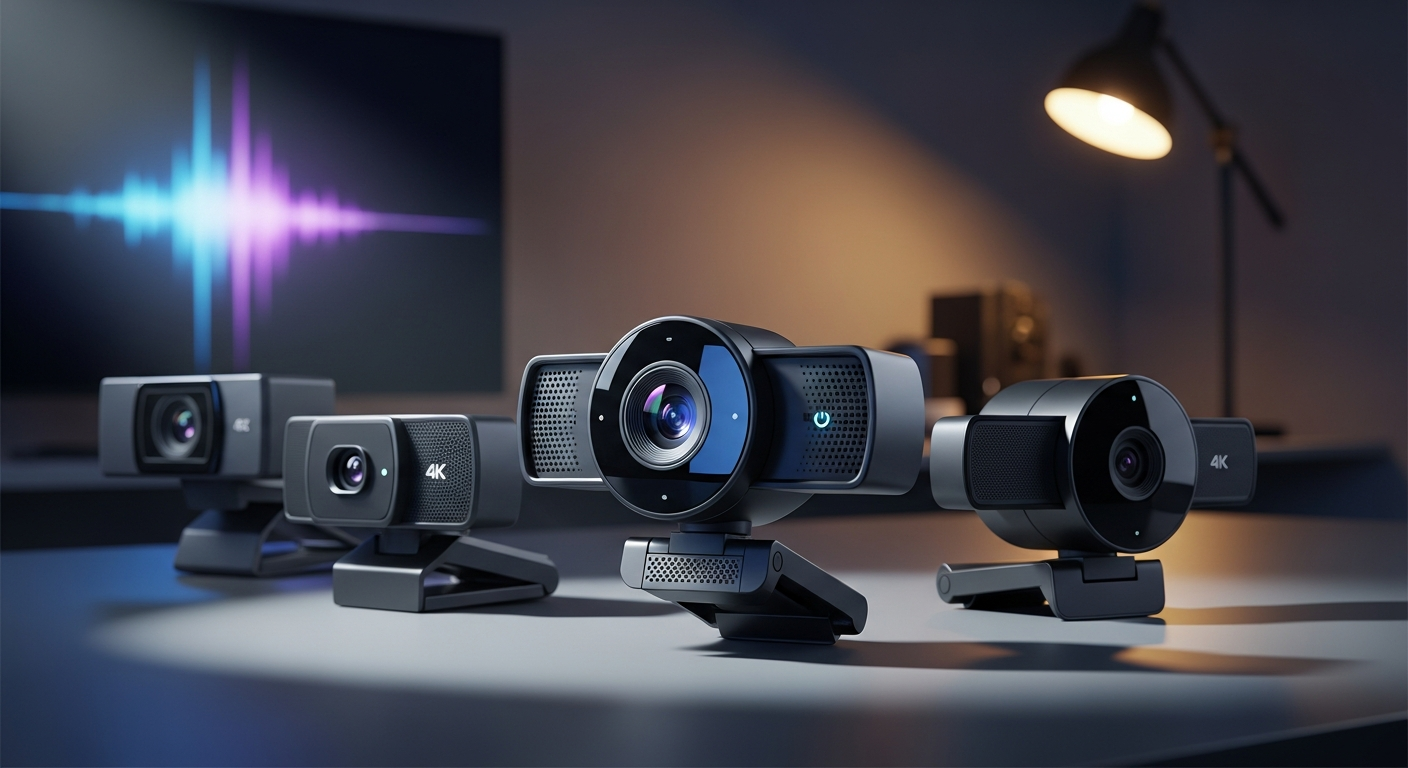
We’ve researched and evaluated the top 4K webcams on the market. Here are the very best options for streaming, content creation, and professional remote work.
1. Razer Kiyo Pro Ultra: The Ultimate Image Quality
If your absolute top priority is uncompromised image quality without the hassle of setting up a DSLR, the Razer Kiyo Pro Ultra stands alone at the top. Razer packed the largest sensor ever used in a webcam into this device, bringing in massive amounts of light and providing a true, natural background blur that software simply cannot fake.
The uncompressed 4K video is breathtakingly sharp. It thrives even in low-light conditions, ensuring that whether your room is dimly lit for gaming or overly bright from a nearby window, your face remains perfectly exposed.
Key Features:
- Massive 1/1.2" Sony STARVIS 2 sensor for incredible low-light performance
- True optical bokeh (background blur) without software artifacts
- Advanced face-tracking autofocus
- Built-in physical privacy shutter twist-ring
- DSLR-like image quality and depth of field
- Unmatched low-light performance
- Plug-and-play excellence without needing heavy software tweaks
- Very large and heavy; might block part of thin-bezel monitors
- Premium price tag
- Requires Razer Synapse for deep configuration
2. Logitech MX Brio 4K: The Best Overall for Home Office
Logitech has long been the king of the corporate webcam space, but the Logitech MX Brio 4K is their biggest leap forward in years. Designed seamlessly for the modern remote worker, it features a fantastic aluminum build, excellent mounting hardware, and incredibly accurate color science out of the box.
One of its standout features is "Show Mode"—you can tilt the camera downwards to show your physical desk space, and the software automatically flips the image so your audience sees it right-side-up. It's an absolute game-changer for teachers, designers, or anyone who needs to sketch or showcase physical objects on a call.
Key Features:
- 8.5MP sensor with custom Logi lenses
- Show Mode for top-down desk sharing
- AI-enhanced image tuning and auto-light correction
- Integrated privacy cover
- Dual beamforming microphones
- Incredibly solid, premium aluminum build
- Fantastic out-of-the-box color accuracy
- Show Mode is genuinely useful for physical demonstrations
- Integrates perfectly with Logi Options+ software
- Field of View maxes out at 90 degrees (less wide than some competitors)
- AI tracking is good, but not as fluid as gimbal-based options
3. Insta360 Link 2: The Best AI Tracking & Gimbal Setup
For educators, dynamic presenters, and streamers who refuse to sit still, the Insta360 Link 2 is nothing short of magic. Sitting atop a 3-axis mechanical gimbal, this tiny webcam uses advanced AI to pan, tilt, and zoom physically to keep you perfectly framed no matter how much you move around the room.
The Link 2 builds upon the massive success of the original by refining the autofocus speed and adding a fantastic new bokeh mode. You can control it entirely via hand gestures—raise a hand to enable tracking, or make an "L" shape to zoom in. It also features a dedicated whiteboard mode that automatically crops and squares off whiteboards in the background for remote teaching.
Key Features:
- 3-axis mechanical gimbal for physical panning and tilting
- AI subject tracking and auto-framing
- Gesture controls for hands-free operation
- Dedicated Whiteboard, DeskView, and Portrait modes
- Peerless tracking capabilities for moving subjects
- Fun and intuitive gesture controls
- Beautiful, crisp 4K resolution with fast autofocus
- Points straight down automatically when turned off for privacy
- Software can sometimes be a bit overwhelming with options
- The gimbal mechanism is delicate and requires careful handling
4. Obsbot Tiny 2: The Premium PTZ Alternative
If you love the idea of a gimbal-based AI tracking camera but want something with a slightly larger sensor than the Insta360, the Obsbot Tiny 2 is an absolute powerhouse. Known for pioneering the AI tracking webcam space, Obsbot's latest flagship features voice controls, a massive 1/1.5" CMOS sensor, and exceptionally fast dual-native ISO for complex lighting situations.
The Tiny 2 excels in noisy, visually cluttered environments where other tracking cameras might lose the subject. It’s a bit pricier than the Insta360 Link 2, but the step up in raw image processing—especially in rooms with terrible lighting—makes it worth the premium for dedicated content creators.
Key Features:
- 1/1.5" CMOS sensor for excellent low light
- 4x faster focusing with All-Pixel Auto Focus
- Voice and gesture control
- Beauty mode and advanced background blur
- Incredible sensor size for a gimbal camera
- Lightning-fast autofocus
- Voice commands ("Track me", "Zoom in") work surprisingly well
- The most expensive option on the list
- The companion software is resource-heavy
Comparison Table
| Feature | Razer Kiyo Pro Ultra | Logitech MX Brio | Insta360 Link 2 | Obsbot Tiny 2 | | :--- | :--- | :--- | :--- | :--- | | Max Resolution | 4K @ 30fps | 4K @ 30fps | 4K @ 30fps | 4K @ 30fps | | Sensor Size | 1/1.2" | 1/2.0" | 1/2.0" | 1/1.5" | | AI Tracking | Digital | Digital | Physical (Gimbal) | Physical (Gimbal) | | Privacy Cover | Built-in physical | Built-in physical | Automatic tilt-down | Automatic tilt-down | | Price | ~$299.99 | ~$199.99 | ~$199.99 | ~$329.00 |
Our Verdict: Which 4K Webcam Should You Buy?
Choosing the right 4K webcam comes down to your primary use case:
- For the Absolute Best Image Quality: The Razer Kiyo Pro Ultra is practically a DSLR replacement. If you sit at a desk and want pure, unadulterated visual fidelity and optical background blur, it has no equal.
- For the Corporate Professional: The Logitech MX Brio is the safe, incredibly reliable, beautifully designed choice. It just works, and features like Show Mode make it invaluable for creative remote workers.
- For Presenters and Teachers: The Insta360 Link 2 is the most fun, versatile camera here. If you move around while you present, its robotic tracking and gesture controls will make you look like you have a dedicated camera operator.
Ready to buy?
Here are our recommended picks from this review: