The Best USB-C Hubs for Mac and Windows in 2026
Don't let the lack of ports slow you down. We've tested the best USB-C hubs and dongles of 2026 to help you connect external monitors, SD cards, and legacy peripherals.
Quick Buy Links
Modern laptops are incredible machines, but the relentless push toward ultra-thin designs has left us with a severe port shortage. If you own a modern MacBook Air, Dell XPS, or practically any premium ultrabook in 2026, you're likely staring at just two USB-C ports. And if one is being used for charging, your connectivity options are instantly cut in half.
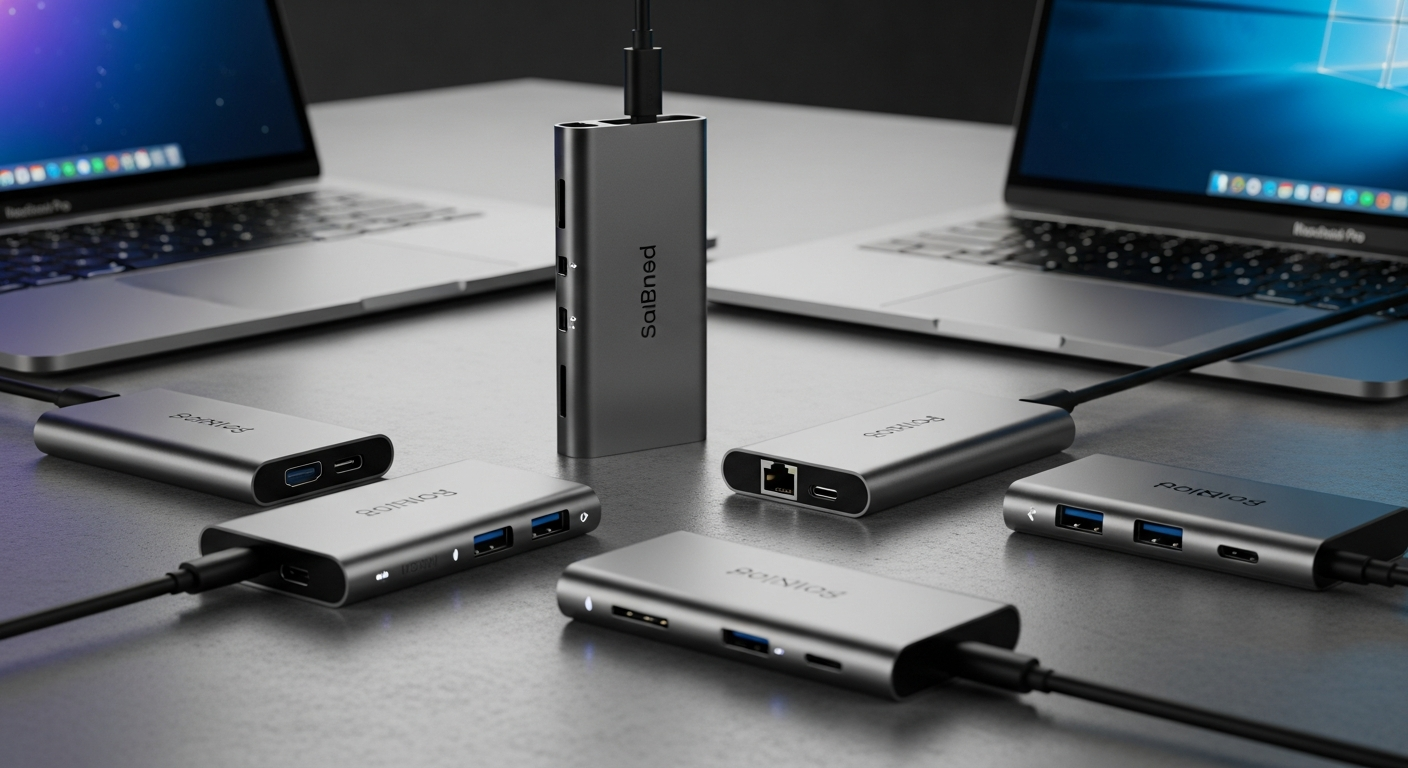
Enter the USB-C hub. A good hub acts as the missing Swiss Army knife for your computer, instantly expanding a single port into a full suite of connections: HDMI, SD card readers, Gigabit Ethernet, and legacy USB-A ports for older mice, keyboards, and hard drives.
However, not all hubs are built the same. A cheap, poorly shielded hub can interfere with your Wi-Fi signal, overheat, or fail to deliver the passthrough charging power your laptop needs. We’ve tested dozens of models across various price points and connectivity standards. Whether you're working at a coffee shop, editing 4K video on the go, or building out a permanent home office setup, here are the best USB-C hubs of 2026.
1. Anker 555 USB-C Hub (8-in-1) – Best Overall
Price: ~$74.99
When it comes to the perfect balance of port selection, build quality, and price, the Anker 555 reigns supreme. It’s a workhorse of a dongle that provides practically everything the average remote worker or student needs without demanding an exorbitant price tag.
The 555 features a 4K HDMI port (capable of 60Hz, not the choppy 30Hz found on cheaper hubs), two high-speed 10Gbps USB-A ports, a 10Gbps USB-C data port, an SD/microSD card reader, and an Ethernet port for stable wired connections. Crucially, it supports up to 100W of power delivery (PD) passthrough, meaning you can plug your laptop’s charger directly into the hub and maintain a full charge while using all your peripherals.
The braided cable feels durable, and the aluminum enclosure acts as an effective heatsink to keep temperatures down during heavy data transfers.
Pros:
- Excellent 10Gbps data transfer speeds on both USB-A and USB-C
- 4K at 60Hz HDMI output
- 100W Power Delivery passthrough
- Compact and highly durable design
- Only features one USB-C data port
- SD card reader speeds are UHS-I (approx 104 MB/s), not the faster UHS-II
2. Satechi Aluminum Multi-Port Adapter V2 – Best for MacBooks
Price: ~$89.99
Satechi has long been the go-to brand for Apple users, and the Multi-Port Adapter V2 continues that legacy. Aesthetically, it is designed to seamlessly match the anodized aluminum finishes of Space Gray and Silver MacBooks, looking like a native extension of the computer rather than a bulky third-party add-on.
Looks aside, the V2 is a powerhouse. It offers 4K/60Hz HDMI output, Gigabit Ethernet, an SD/microSD card reader, and three USB-A ports. Satechi upgraded the internal components on this model to completely eliminate the 2.4GHz wireless interference issues that plagued earlier dongles, meaning your Bluetooth mouse and Wi-Fi connection will remain completely stable even when the hub is under heavy load.
Pros:
- Beautiful aluminum design that perfectly matches Apple aesthetics
- Excellent internal shielding prevents wireless interference
- Pass-through charging up to 60W
- Responsive and fast Gigabit Ethernet
- USB-A ports top out at 5Gbps
- No USB-C data port (the single USB-C port is for power passthrough only)
3. Baseus 10-in-1 USB-C Hub – Best Budget Pick
Price: ~$49.99
If you just spent your entire budget on a new laptop and need a hub that won't break the bank, the Baseus 10-in-1 offers an astonishing amount of connectivity for under $50. It manages to cram a staggering 10 ports into a chassis that still fits comfortably in the front pocket of a backpack.
You get dual HDMI outputs (great for Windows users wanting to run extended dual monitors), a VGA port for legacy office projectors, three USB-A ports, an SD/TF card reader, Gigabit Ethernet, a 3.5mm audio jack, and 100W PD passthrough. While it lacks the premium feel of Satechi and the raw 10Gbps speed of Anker, it provides unparalleled port density for the price.
Pros:
- Incredible port-per-dollar ratio
- Dual HDMI outputs for multi-monitor setups
- Includes legacy ports like VGA and 3.5mm audio
- 100W Power Delivery support
- Dual monitors via HDMI only mirror (do not extend) on Mac due to MacOS limitations
- Build quality feels slightly hollow compared to premium options
4. CalDigit Thunderbolt 4 Element Hub – Best Premium / Desktop Hybrid
Price: ~$249.99
Technically, the CalDigit Element Hub blurs the line between a portable hub and a permanent desktop docking station, but it is too exceptional to leave off this list. If you are a creative professional editing massive 8K video files, relying on high-speed external NVMe SSDs, or driving dual 4K monitors at 60Hz (or a single 8K monitor), standard USB-C hubs simply lack the bandwidth.
The Element Hub utilizes Thunderbolt 4 to provide a massive 40Gbps of bandwidth. It features four Thunderbolt 4 ports and four 10Gbps USB-A ports. It requires its own dedicated power brick (which provides 60W of charging back to your laptop), making it less ideal for tossing into a bag. However, if you want a one-cable solution on your desk that absolutely refuses to bottleneck your premium peripherals, the Element Hub is flawless.
Pros:
- Massive 40Gbps bandwidth via Thunderbolt 4
- Supports dual 4K/60Hz or single 8K displays
- Flawless performance with high-speed external SSDs
- Acts as a powerful standalone charging station
- Very expensive
- Requires a bulky dedicated power brick (not truly portable)
The Verdict: Which USB-C Hub Should You Buy?
For the vast majority of users—whether you're working from home, traveling, or just need to plug in a standard external monitor and mouse—the Anker 555 USB-C Hub is the smartest buy in 2026. Its inclusion of 10Gbps ports ensures it won't bottleneck your external hard drives, and its 4K/60Hz output guarantees a smooth desktop experience.
If aesthetics are important to you and you use a MacBook, the Satechi Multi-Port V2 is a gorgeous and highly reliable alternative. If you're outfitting a home office on a shoestring budget, grab the Baseus 10-in-1. Finally, if you need absolute, uncompromising speed and bandwidth for high-end creative work, save up for the CalDigit Element Hub.
Pro Tip: Always plug your laptop's power cable into the hub first, then plug the hub into your laptop. This ensures the hub handles the power handshake correctly before external drives mount!
Ready to buy?
Here are our recommended picks from this review: