Best Mini PCs for Home Labs in 2026
We review the top mini PCs for home labs, self-hosting, and virtualization in 2026, comparing the best models from Beelink, Minisforum, ASUS, and more.
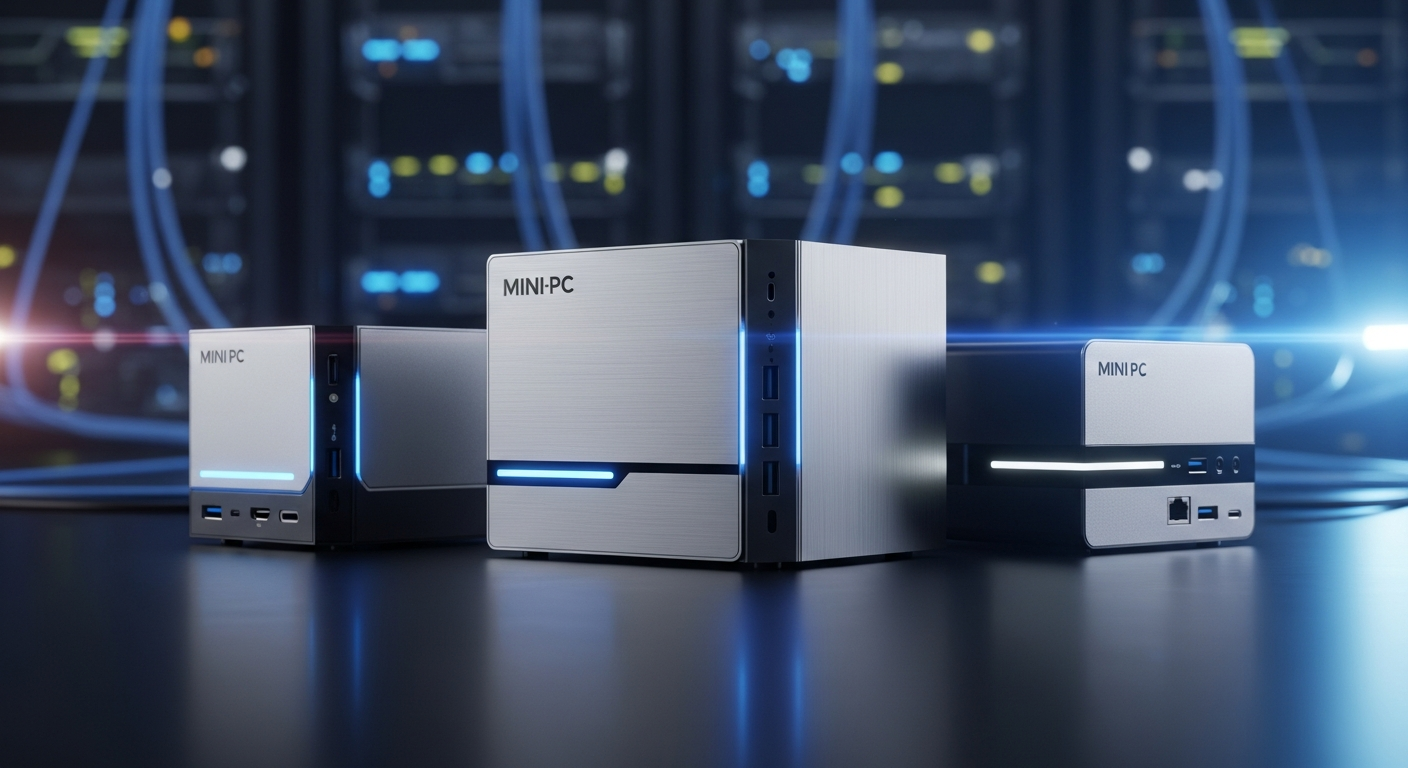
Building a home lab used to mean sacrificing a closet to noisy, power-hungry rack servers that doubled your electricity bill. In 2026, the landscape has entirely shifted. Today's mini PCs pack an astonishing amount of compute power into desktop-friendly footprints, sipping only 15-45W of power while running entire clusters of virtual machines, Docker containers, and local AI LLMs.
Whether you are looking to build a Proxmox cluster, self-host Nextcloud and Plex, or set up a dedicated pfSense router, picking the right micro-server is crucial. After extensively analyzing the latest models and tracking real-world community performance, we’ve rounded up the best mini PCs for home labs in 2026.
1. Beelink SER9 HX370: The Absolute Powerhouse
When it comes to raw processing power and thermal efficiency in 2026, the Beelink SER9 HX370 sits at the top of the food chain. Powered by the AMD Ryzen AI 9 HX 370 processor with 12 cores and 24 threads, this machine absolutely tears through virtualization workloads.
What makes it a fantastic home lab node isn’t just the CPU—it's the massive DDR5 RAM capacity (often bundled with 64GB out of the box) and dual M.2 NVMe slots, giving you plenty of high-speed storage for virtual machines and container images.
Pros:
- Unmatched CPU Performance: The Ryzen AI 9 HX 370 is arguably overkill for basic self-hosting, making it future-proof for years.
- Whisper Quiet: Beelink’s vapor chamber cooling design ensures that even under heavy Proxmox loads, the fan noise is barely noticeable.
- AI Ready: The integrated NPU makes it highly capable for local AI inference and home automation (like Frigate with local AI object detection).
- Premium Price: Hovering around $899, it’s a significant upfront investment.
- Networking: Lacks a 10GbE port, which some enterprise-level home labbers might miss.
2. Minisforum MS-02: The Networking King
Minisforum practically broke the internet last year with the MS-01, and the Minisforum MS-02 refines that perfection for 2026. This machine is custom-designed for networking nerds and enterprise virtualization.
The MS-02's standout feature is its insane connectivity. It typically features dual 10GbE SFP+ ports alongside dual 2.5GbE RJ45 ports. Plus, it supports a PCIe slot, meaning you can drop in a half-height discrete GPU or an additional storage controller.
Pros:
- Ultimate Connectivity: 10GbE SFP+ out of the box makes this the ultimate Proxmox Ceph node or high-speed NAS controller.
- PCIe Expandability: Being able to add a low-profile GPU opens the door for dedicated Plex transcoding or advanced AI workloads.
- Storage Options: Multiple M.2 slots (up to 3 in some configurations) allow for robust ZFS arrays directly on the node.
- Thermal Throttling Under Max Load: Cramming PCIe cards and 10GbE networking into this chassis means it can run hot.
- Fan Noise: It is significantly louder than the Beelink SER9 when pushed to the limit.
3. ASUS NUC 14 Pro: The Enterprise Standard
Following Intel's exit from the NUC business, ASUS has taken up the mantle, and the ASUS NUC 14 Pro demonstrates why the NUC form factor is legendary. Armed with Intel Core Ultra processors, it offers unparalleled stability and hardware support.
For home labbers who rely heavily on Intel Quick Sync for media server transcoding (like Plex or Jellyfin), the ASUS NUC 14 Pro is a dream. Its driver support across Linux distros, VMware ESXi, and Proxmox is bulletproof.
Pros:
- Intel Quick Sync: Still the undisputed king for low-power, high-quality video transcoding.
- Rock-Solid Stability: NUCs are known for hardware reliability and excellent BIOS support.
- vPro Options: Available with Intel vPro for out-of-band management, a massive plus for remote server administration.
- Price to Performance: At over $1,100, you are paying a heavy "NUC tax" compared to Beelink or Minisforum.
- Limited Cores: The Intel Core Ultra processors don't match the multi-threaded grunt of AMD's HX370 for the price.
4. Acemagic S1: The Ultimate Budget Node
You don't need to spend $800 to start a home lab. The Acemagic S1 proves that you can build a highly capable cluster on a budget. Typically powered by Intel Alder Lake-N processors (like the N95 or N100), this mini PC consumes roughly 15W at full tilt.
What sets the S1 apart is its vertical orientation, magnetic side panel for easy RAM/SSD upgrades, and a built-in customizable LCD screen on the front that can display CPU/RAM usage—a delightful touch for a server rack.
Pros:
- Extremely Affordable: Frequently available for under $250.
- Low Power Consumption: An excellent choice for 24/7 self-hosting tasks like Pi-hole, Home Assistant, or a lightweight Docker host.
- Built-in Status Screen: Awesome aesthetic touch for monitoring server health at a glance.
- Performance Limits: The N-series processors will struggle with heavy virtualization or dozens of simultaneous tasks.
- Single RAM Slot: Limited upgradeability.
Comparison Overview
| Feature | Beelink SER9 HX370 | Minisforum MS-02 | ASUS NUC 14 Pro | Acemagic S1 | | :--- | :--- | :--- | :--- | :--- | | Primary Strength | Pure CPU Power & Quiet | 10GbE & PCIe Expansion | Quick Sync & Stability | Budget & Low Power | | Best For | Heavy VM Workloads | Networking/Proxmox | Plex & Media Servers | Docker & Pi-hole | | Networking | Dual 2.5GbE | Dual 10G SFP+, Dual 2.5G | Single 2.5GbE | Dual 1GbE | | Approx. Price | $899 | $750 | $1,150 | $250 |
Conclusion: Which Should You Buy?
Building a home lab in 2026 offers more flexibility than ever.
If your goal is to build an advanced, high-speed Proxmox cluster with fast storage networking, the Minisforum MS-02 is the undeniable winner thanks to its 10GbE SFP+ ports and PCIe expandability.
However, if you want an absolute powerhouse that can run dozens of VMs while remaining whisper-quiet on your desk, our Top Pick goes to the Beelink SER9 HX370. It delivers breathtaking multi-core performance for less than the cost of a comparable NUC, making it the most well-rounded home server of the year.
Remember: Always start small. A single mini PC is often more than enough to learn Docker, set up Home Assistant, and host your own files before scaling up to a multi-node cluster!
Ready to buy?
Here are our recommended picks from this review: