The Best E-Ink Tablets for Note-Taking and Productivity in 2026
We tested the top E-Ink tablets for writing, reading, and getting things done. Find out which digital notebook actually replaces paper.
Quick Buy Links
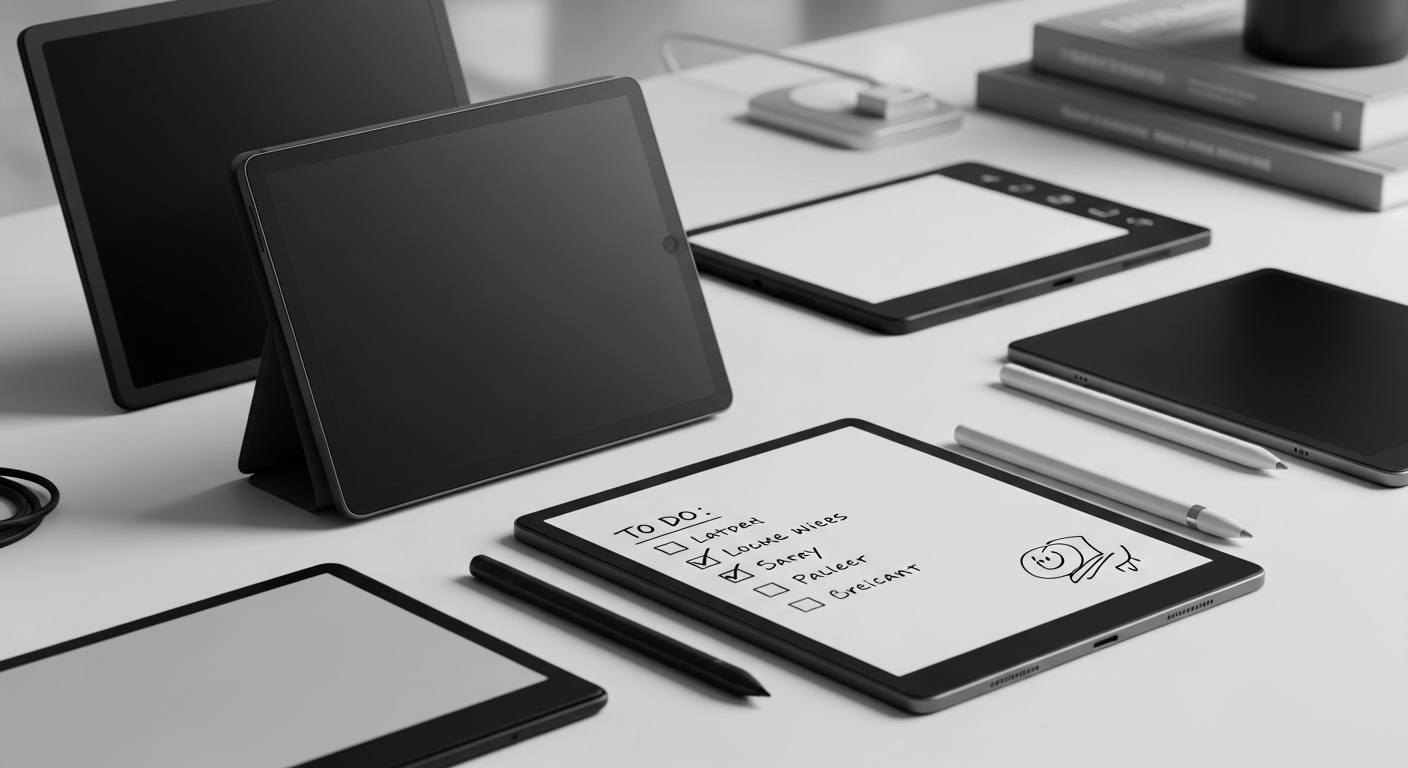
The dream of the paperless office has been around for decades, but only recently have digital devices truly managed to capture the tactile magic of pen on paper. In 2026, the E-Ink tablet market has matured beyond basic e-readers. Today's best E-Ink tablets are powerful productivity tools that offer distraction-free environments, week-long battery life, and a writing experience that finally rivals your favorite notebook.
Whether you're a student drowning in PDFs, a professional who needs to organize meeting notes, or an author plotting your next novel without the glare of an LCD screen, there is an E-Ink tablet designed specifically for your workflow.
We spent the last few months testing the most popular e-ink note-taking devices on the market to see which ones offer the best writing feel, the smartest software, and the best value for your money. Here are the top E-Ink tablets for 2026.
1. reMarkable Paper Pro: The Ultimate Distraction-Free Writer
The reMarkable series has long been the gold standard for the "feel" of writing on digital paper. With the release of the reMarkable Paper Pro, the company has added subtle color E-Ink capabilities while maintaining the ultra-low latency and phenomenal texture that made the original reMarkable 2 so famous.
Price: $599
Pros:
- Unmatched writing feel; it truly feels like a pencil scratching across premium paper.
- New color E-Ink display allows for highlighting and basic color-coding in notes.
- Incredibly thin and beautifully designed aluminum chassis.
- Zero distractions: no email, no web browser, no notifications. Just your thoughts.
- Very expensive, especially when you factor in the cost of the mandatory Marker and Folio.
- Subscription model (Connect) is still required to unlock all cloud sync features.
- No backlight, so you can't work in the dark without an external lamp.
- Closed ecosystem makes getting non-PDF/EPUB files on and off the device slightly tedious.
2. Amazon Kindle Scribe: Best for Readers Who Like to Scribble
Amazon finally brought a stylus to the Kindle lineup, and the Kindle Scribe is exactly what it sounds like: a massive, premium Kindle e-reader that you can write on. It leverages Amazon's massive e-book ecosystem, making it the default choice if you already own hundreds of Kindle books.
Price: $339
Pros:
- The best, crispest 300 ppi display on this list, complete with a warm, adjustable front light.
- Seamless integration with the Kindle store and Audible.
- Writing is incredibly smooth, and the Premium Pen (included in some bundles) features a dedicated eraser.
- Amazing battery life that easily lasts weeks on a single charge.
- Great value considering the hardware quality.
- The note-taking software is extremely basic compared to competitors. No layers, limited templates, and poor handwriting recognition.
- You can't write directly on the text of most books; you have to use "sticky notes."
- Navigating large PDFs can be sluggish.
3. Onyx Boox Note Air 3 C: The Jack-of-All-Trades Android Tablet
While reMarkable locks you down to prevent distractions, the Onyx Boox Note Air 3 C swings in the complete opposite direction. This is a full-fledged Android tablet with a color E-Ink screen. You can download apps from the Google Play Store, check your email, browse the web, and even watch low-framerate YouTube videos if you really want to.
Price: $499
Pros:
- Full access to the Google Play Store (Notion, Evernote, Google Drive, Microsoft OneNote).
- Kaleido 3 color E-Ink screen is fantastic for reading comics, magazines, and color-coded graphs.
- Powerful built-in reading and note-taking apps that support a massive variety of file formats.
- Snappy performance thanks to a solid processor and ample RAM.
- The battery drains much faster than other E-Ink tablets due to the Android OS and background processes.
- The interface can be cluttered and overwhelming; there is a steep learning curve.
- The screen is slightly darker than monochrome alternatives because of the color filter layer.
4. Supernote A5 X2: The Organization Powerhouse
Supernote has carved out a loyal following by focusing relentlessly on workflow and organization. The A5 X2 doesn't have the premium metal build of the reMarkable or the app store of the Boox, but it features the smartest software for keeping track of your thoughts.
Price: $415
Pros:
- Incredible organizational tools: you can create headings, links between pages, and searchable keywords directly in your handwritten notes.
- Ceramic nib stylus never needs replacing.
- The writing feel is unique—more like a gel pen on a slightly soft surface, rather than a pencil on paper.
- Responsive customer support and regular, community-driven software updates.
- The hardware looks and feels a bit plasticky compared to its sleek rivals.
- No front light, limiting use in low-light environments.
- Smaller ecosystem of third-party accessories.
Conclusion: Which E-Ink Tablet Should You Buy?
Choosing the best E-Ink tablet in 2026 comes down to exactly how you plan to use it.
If your goal is to eliminate distractions and you demand the most paper-like writing experience possible, the reMarkable Paper Pro remains the undisputed king of digital notebooks, despite its high price tag.
If you are primarily a reader and just want to jot down occasional thoughts or journal at the end of the day, the Amazon Kindle Scribe offers the best screen and unbeatable value.
However, if you are a professional who refuses to give up your existing digital workflow and needs an E-Ink device that can integrate with Notion, Google Drive, or OneNote, the Onyx Boox Note Air 3 C is the ultimate compromise between an iPad and a traditional notebook.
For most people, we recommend starting with the Amazon Kindle Scribe due to its incredible screen, built-in light, and lower barrier to entry. But whichever device you choose, stepping away from the glowing LCD screens of your laptop and phone to do your deep work is an investment in your focus that pays off immediately.
Ready to buy?
Here are our recommended picks from this review: